Introduction to tmux
The tmux package enables a number of terminals to be created, accessed and contolled from a single screen. Essentially it is a terminal within the terminal it is launched in.
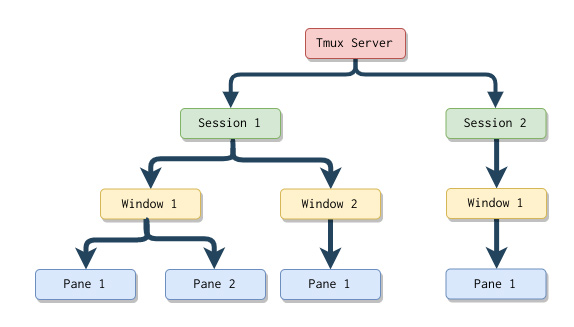
First off install tmux from the apt repository:
Once installed, you can launch tmux from the terminal you are in:
-
To split your window horizonally use
ctrl+Bthen release both keys and press the%key -
To split a window verically use
ctrl+Bthen release both keys and press the"key -
To move about the split panels in a window use
ctrl+Band then release both keys and the directionall arrows on the keyboard, left, right, up and down. -
To close a panel use type: