Getting Started
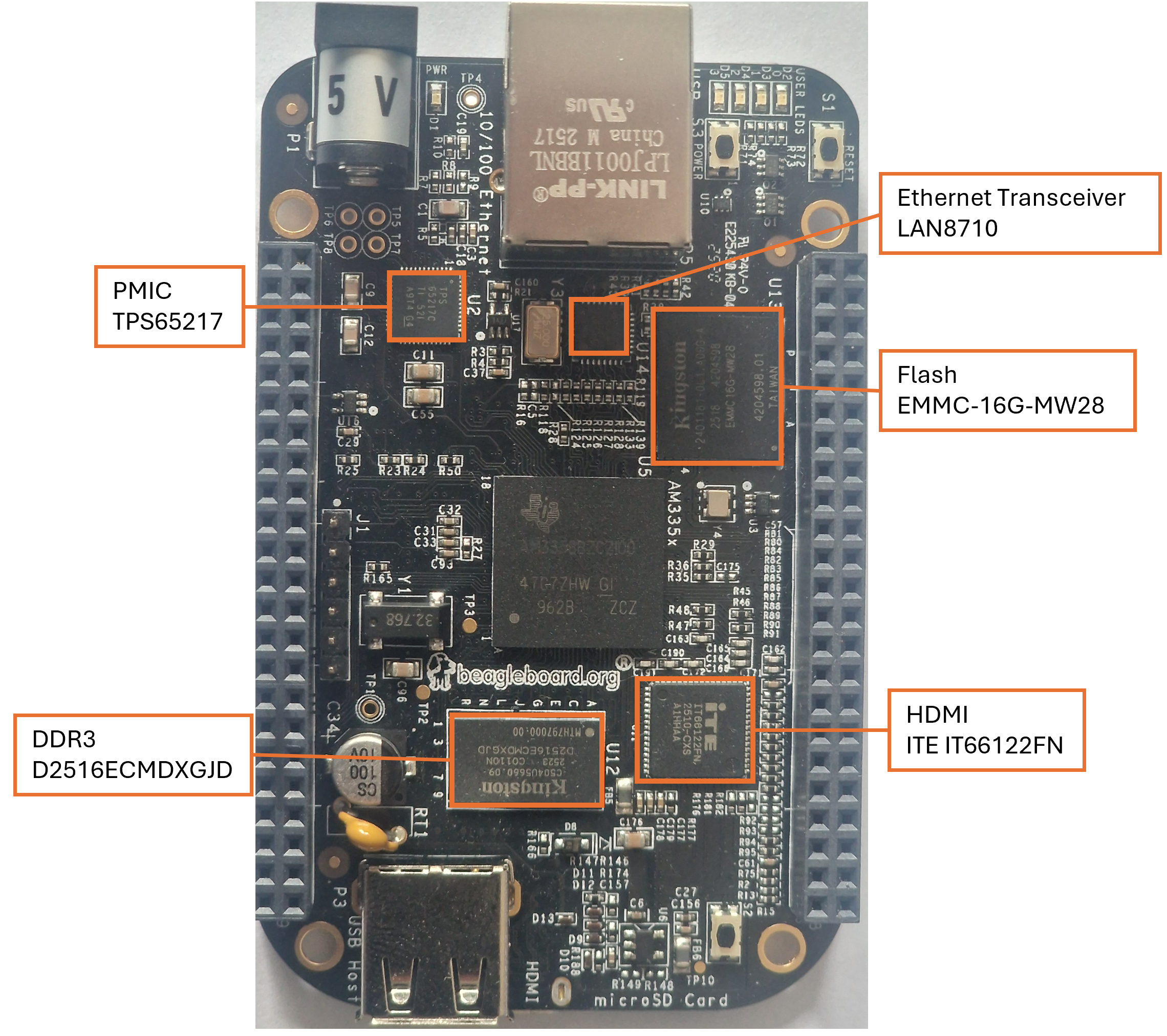
This workbook section is for the BeagleBone Revision D, some of the components will be different if you have a different revision.
1. Connect the BeagleBone Black to your computer
-
Make sure you have connected the BeagleBone Black to your computer via a USB cable
-
Open a terminal window and type:
-
As you can see you need to type the password
temppwdto be able to log in. -
You should now see:
The programs included with the Debian GNU/Linux system are free software; the exact distribution terms for each program are described in the individual files in /usr/share/doc/*/copyright. Debian GNU/Linux comes with ABSOLUTELY NO WARRANTY, to the extent permitted by applicable law. Last login: Thu Apr 16 21:18:31 2020 from 192.168.7.1 debian@beaglebone:~$You may be presented with the prompt to change password.
It is recommended for now to change the password from
temppwdtopassword12345Once logged in you can change it back to
temppwdby entering the following commandpasswddebian@BeagleBone:~$ passwd Changing password for debian. Current password: New password: Retype new password: passwd: password updated successfully -
Also we are going to set the environment variable
TERMto have the full 256-color range open.bashrcwithnanoand on any newline add the following: -
While we are in
.bashrcwe are going to add the following (create new lines) to show colours in man pages etc, easier to read.export GROFF_NO_SGR=1 export LESS_TERMCAP_mb=$'\e[0;35m' export LESS_TERMCAP_md=$'\e[0;35m' export LESS_TERMCAP_me=$'\e[0m' export LESS_TERMCAP_se=$'\e[0m' export LESS_TERMCAP_so=$'\e[1;36;36m' export LESS_TERMCAP_ue=$'\e[0m' export LESS_TERMCAP_us=$'\e[4;1;32m' export LESS_TERMCAP_mr=$'\e[7m' export LESS_TERMCAP_mh=$'\e[2m' export LESS_TERMCAP_ZN=$'\e[74m' export LESS_TERMCAP_ZV=$'\e[75m' export LESS_TERMCAP_ZO=$'\e[73m' export LESS_TERMCAP_ZW=$'\e[75m' export MANPAGER='less'Then
source ~/.bashrcand you should have colour in the terminal now. If notexitand reconnect.